Introduction
Driving has become more connected than ever, and Kia owners can enjoy advanced smartphone integration features designed to enhance convenience, safety, and entertainment. Apple CarPlay and Android Auto allow you to connect your smartphone directly to your Kia’s Kia Connect infotainment system, making it easy to use navigation, make calls, send messages, and access apps—all while keeping your hands on the wheel and eyes on the road. This complete guide to Apple CarPlay and Android Auto is designed to be a one-stop resource for new users and experienced drivers alike, packed with basic instructions, pro tips, FAQs, and troubleshooting advice to help you get the most out of these powerful systems.
What Are Apple CarPlay and Android Auto?
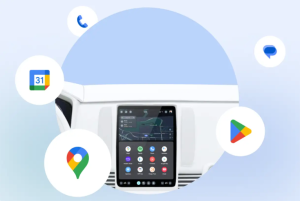
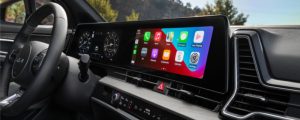
Apple CarPlay and Android Auto are smartphone integration platforms that connect your phone to your Kia’s infotainment system. They mirror compatible apps on your vehicle’s display and provide a familiar interface that resembles your smartphone. With Siri and Google Assistant, you can issue voice commands to access maps, messages, calls, and music—minimizing distractions while driving.
Benefits for Kia Owners
- Hands-Free Operation: Place calls, send messages, and control apps without touching your phone.
- Safer Driving: Voice commands reduce the need to look away from the road.
- Familiar Interface: Enjoy a layout similar to your smartphone’s home screen.
- Access to Popular Apps: Use maps, music, podcasts, and messaging apps directly from your Kia’s display.
- Seamless Updates: Both platforms regularly receive updates to improve performance and add features.
Step-by-Step: How to Set Up Apple CarPlay in Your Kia
Wired Setup
- Start your Kia and make sure the infotainment screen is active.
- Plug your iPhone into your Kia’s USB port using an Apple-certified Lightning cable.
- Approve prompts on your iPhone and infotainment screen.
- The Apple CarPlay interface will appear automatically.
Wireless Setup
- Check your Kia owner’s manual to confirm wireless CarPlay support.
- Turn on Bluetooth and Wi-Fi on your iPhone.
- Pair your iPhone with the Kia infotainment system.
- Accept the prompts to enable wireless CarPlay.
Pro Tip: If you often drive with multiple passengers, pair multiple phones ahead of time so switching between users is seamless.
Step-by-Step: How to Set Up Android Auto in Your Kia
Wired Setup
- Start your Kia and ensure the infotainment system is on.
- Connect your Android phone to the USB port with a certified cable.
- Download or update the Android Auto app if needed.
- Follow prompts on both your phone and the infotainment screen.
Wireless Setup
- Check whether your Kia supports wireless Android Auto.
- Enable Bluetooth and Wi-Fi on your Android phone.
- Pair your phone with your Kia infotainment system.
- Approve the connection on both devices.
Pro Tip: For smoother performance, close unnecessary background apps on your phone before connecting.
Everyday Features Kia Drivers Will Love
Navigation
Get real-time directions with Apple Maps, Google Maps, or Waze. These apps offer traffic updates, alternate routes, and lane guidance. Use voice commands like “Hey Siri, give me directions to Russell Barnett Kia” or “Hey Google, navigate to the nearest gas station.”
Music & Entertainment
Stream your favorite playlists, albums, and podcasts from apps such as Spotify, Apple Music, Pandora, Amazon Music, or Audible. Use steering wheel controls to adjust volume, skip tracks, or pause playback safely.
Communication
Send and receive texts and calls hands-free. Use commands like “Hey Siri, text John I’ll be there in 10 minutes” or “Hey Google, call Mom.”
Calendar Integration
Apple CarPlay and Android Auto sync with your calendar, showing reminders and events directly on your Kia’s screen.
Advanced Tips for Experienced Users
Now… This is becoming a truly complete guide to Apple CarPlay and Android Auto!
- Customize App Layout: Rearrange your apps so that frequently used apps appear first.
- Enable Do Not Disturb While Driving: Automatically silence notifications to avoid distractions.
- Create Voice Shortcuts: Use personalized commands for navigation and music.
- Use Split-Screen Mode: On supported Kia models, view navigation and media simultaneously.
- Try Third-Party Apps: Apps like WhatsApp, Telegram, Audible, and Overcast add extra functionality.
- Wireless Charging Combo: Pair wireless charging with wireless CarPlay or Android Auto for a clutter-free setup.
Top 10 Apps for Kia Drivers – and Why You Should Try Them
- Google Maps: Offers reliable navigation, live traffic data, and offline maps.
- Waze: Provides crowd-sourced alerts for accidents, hazards, and police presence.
- Spotify: Stream millions of songs, podcasts, and playlists.
- Apple Music: Perfect for iPhone users with existing iTunes libraries.
- Audible: Listen to audiobooks while commuting or on road trips.
- Apple Podcasts / Podcast Addict: Access thousands of free podcasts.
- WhatsApp: Send messages and make calls using voice commands.
- Amazon Music: Another excellent streaming platform with curated playlists.
- Telegram: Secure messaging with optional voice and video calls.
- iHeartRadio: Stream live radio stations, podcasts, and talk shows.
Expanded FAQ for Kia Drivers
Do all Kia models support Apple CarPlay and Android Auto?
Most new Kia vehicles with Kia Connect support these features. Confirm compatibility with your owner’s manual or ask Russell Barnett Kia.
Will I need a special cable?
Yes. For wired connections, use a high-quality, certified USB cable for best results.
Does it use my data plan?
Yes. Navigation, streaming music, and other online features use your mobile data.
Why isn’t my connection working?
Check cable quality, update your phone’s software, and ensure your infotainment system is updated.
Can I use any app?
No. Only apps approved by Apple or Google for CarPlay and Android Auto will appear.
How do I update my Kia’s software?
Your Kia Connect system may require updates at the dealership. Apple CarPlay and Android Auto update automatically through your smartphone.
Why does my connection drop?
Wireless connections can be affected by interference or distance. Keep your phone close to the infotainment system.
Can I use multiple phones?
Yes. You can pair multiple devices and easily switch between them.
Troubleshooting Guide
- Connection Issues: Restart both phone and infotainment system, use a certified cable, and re-pair the device.
- App Malfunctions: Update apps or reinstall them on your phone.
- Audio Delays: Switch to a new cable or try wired mode.
- Black Screen or Lag: Disconnect and reconnect the device, or restart the infotainment system.
Safety First
While these features are convenient, always prioritize safe driving. Avoid scrolling through apps or typing while driving—voice commands exist for a reason.
Why Choose Russell Barnett Kia?
At Russell Barnett Kia, we help you get the most out of your Kia Connect system, well beyond this complete guide to Apple CarPlay and Android Auto. Our team can:
- Assist with Apple CarPlay and Android Auto setup.
- Perform infotainment system software updates.
- Provide tips and personalized demonstrations
<<< CLICK HERE TO SCHEDULE YOUR NEXT SERVICE APPOINTMENT >>>

OR VISIT US TODAY!
Stop by Russell Barnett Kia at 915 S Anderson St, Tullahoma, TN 37388, or call (931) 455-6066. Our knowledgeable staff is ready to help you make the most of Apple CarPlay and Android Auto in your Kia.
<<< Click here for more information about Apple CarPlay – straight from the source >>>
<<< Click here for more information about Android Auto – straight from the source >>>